

[https://drive.google.com/file/d/153-_dewxEccuMp_PQF-rfIpqalwhaUvi/view?usp=sharing](https://drive.google.com/file/d/153-_dewxEccuMp_PQF-rfIpqalwhaUvi/view?usp=sharing)
Drivers are something that will drive your forecast, whereas Metrics are the outcomes of said forecasts. In Pluvo, you will have unmatched customizability into the granular view you have of your business drivers. While the distinction and use between these two will vary based on business to business, this guide will equip you with all you need to know about Pluvo drivers to hit the ground running. Let’s dive in!
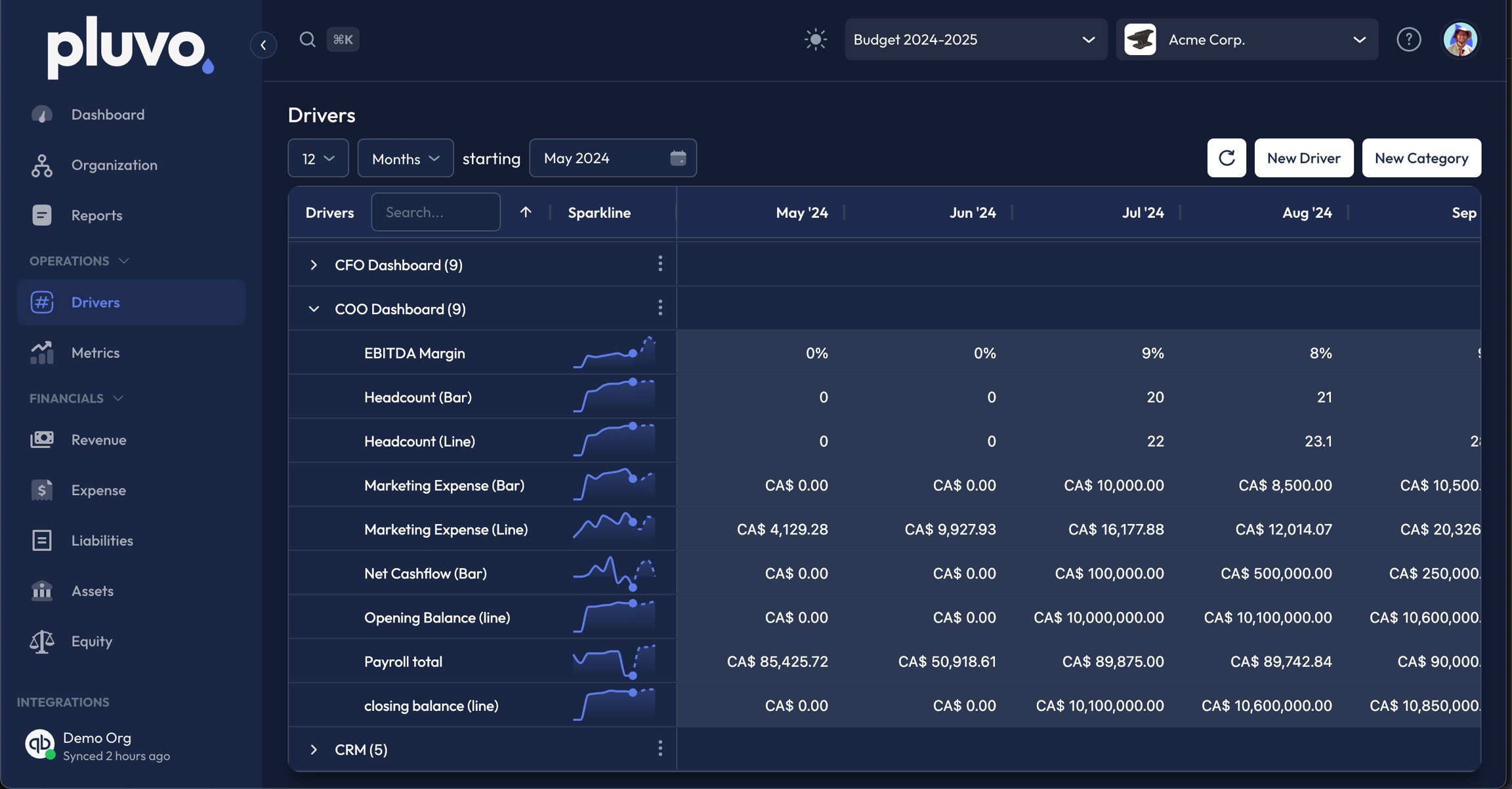
- Your drivers will appear in categories which you can create within the ‘New Driver’ popup. Each will come with a spark line that reflects the driver forecast also displayed numerically.
- You can adjust the date range of the forecast monthly/yearly for up to 8 years of financial data.
- To create a new driver, click ‘New Driver’.
In the next article, we will look into creating new drivers, adding forecasts, and looking at how they are used in forecasting and metrics within the application.