

Actuals Definitions
In Pluvo, a variable’s actuals definition controls how historical or real-world values are populated. While many actuals come from accounting systems (like revenue or expenses), they can also represent manually entered data—anything from headcount to unit sales. Actuals give you the context you need to compare your forecast against what actually happened.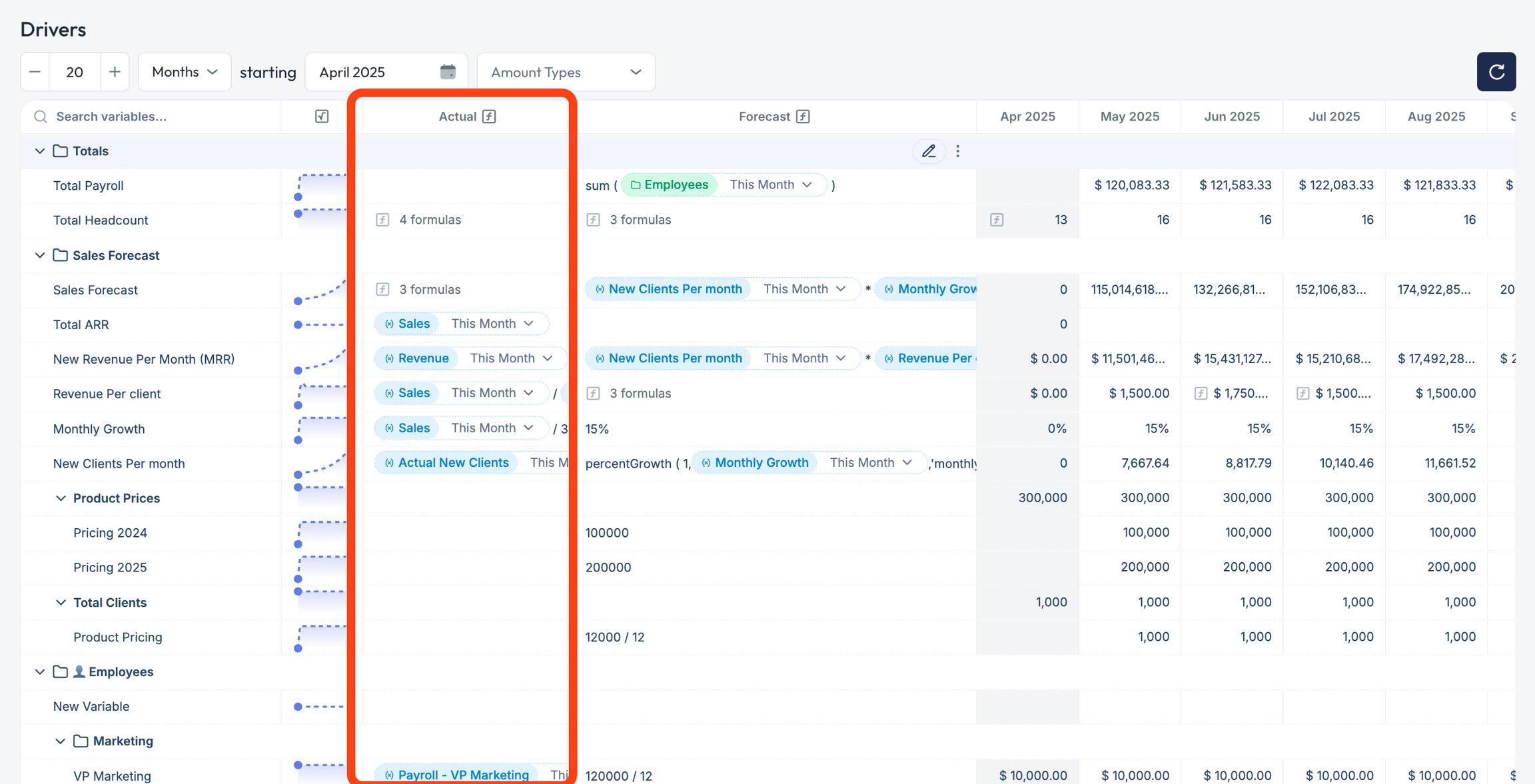
What Can Be Used as Actuals?
Actuals can come from two sources:- Integrations
- QuickBooks Online
- Xero
- NetSuite
- Revenue
- Operating expenses
- Cash balances
- Payroll
- Manual Entry or Paste
- Typing directly into the actuals column of a variable
- Pasting in data (e.g., from Excel or another source)
- Headcount
- Units sold
- Site traffic
- Operational metrics
To manually enter actuals, ensure “Actuals” are selected in the amount type dropdown and then click in the month you’d wish to enter actuals.
- Any Pluvo formula
How to Set Up Actuals
For integration actuals:- Click the variable row
- Open the Actuals tab
- Select one or more GL accounts to map
- Run a sync to populate actuals
- Click the actuals column of any cell
- Enter or paste in your values
- Pluvo will store and display these values just like synced data
Manual actuals will overwrite any existing synced values in that variable. You can always revert by re-selecting a mapped account.
Syncing Behavior (for mapped accounts)
- Click the Sync button in the top right to pull updated data from your accounting system
- Auto-sync can be enabled for hands-off updates
- If your chart of accounts changes (e.g., a new GL account is added), it will appear on the next sync—but you must manually add it to any relevant variable mappings
Tips
- Use manual actuals for anything outside your GL (like headcount or SaaS metrics)
- Use account-mapped actuals for consistency with finance data
- Keep your actuals clean—avoid mixing manual and synced sources in the same variable unless necessary