

We just released all new grids! Keep reading to learn your way around.
What Is a Grid?
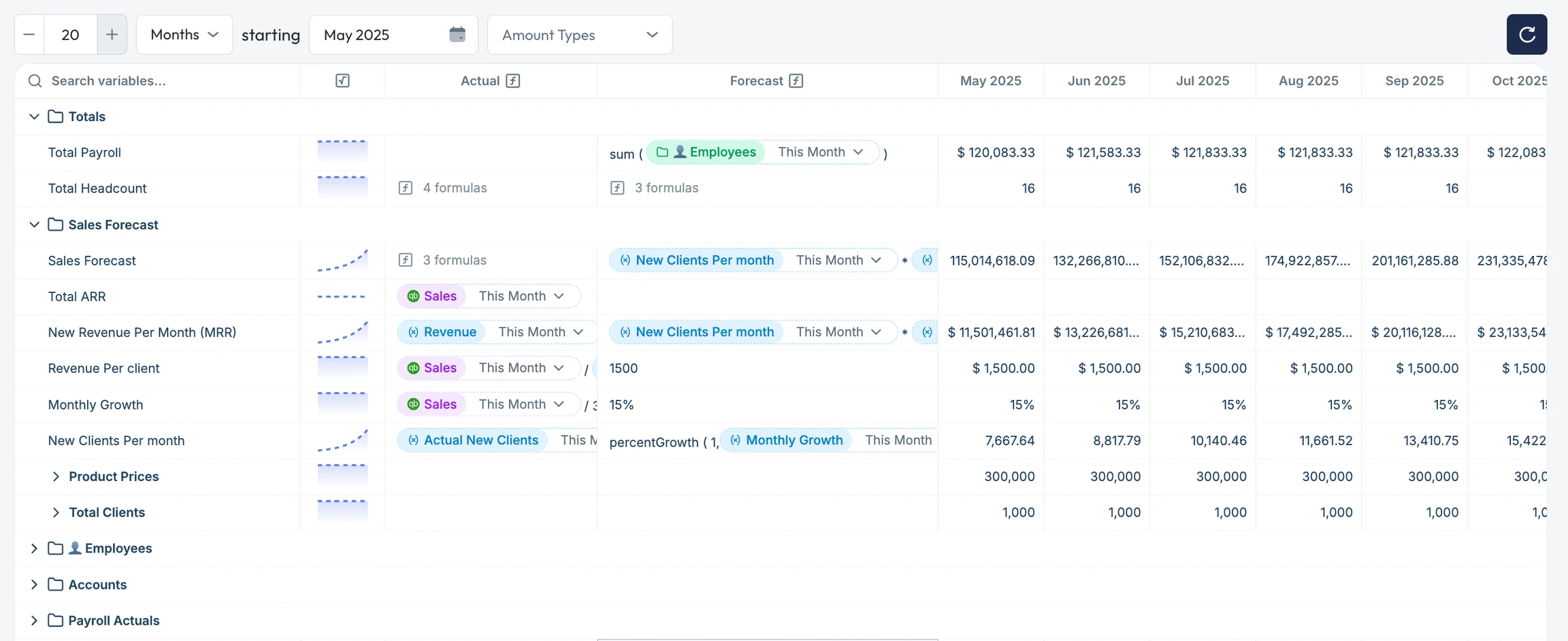
A grid is the working area inside a model, where each row represents a variable and each column represents time (typically months). Variables are the building blocks of your financial plan. Each one contains:- A forecast definition: your planned value or formula.
- An actuals definition: pulled from your accounting system.
- A series of time-based values, shown by month, quarter, or year.
Key Elements
Rows = Variables
Each row in the grid is a variable. Variables can be:- Drivers – inputs like headcount, unit cost, or conversion rate
- Metrics – outputs like revenue, gross margin, or runway
- Accounts – actuals pulled directly from your GL
Right-click in the grid header and select “expand all row groups” to open all folders and sub-variables at once.
Columns = Time
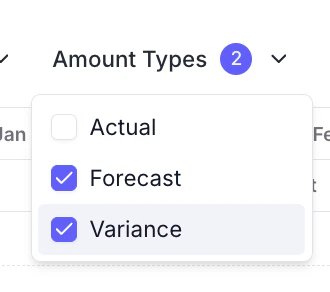
Columns show time-based values for each variable—typically broken down by month. The data in these time columns are referred to as amounts. Using theAmount Types dropdown at the top of the grid, you can toggle between:
- Actuals
- Forecasts
- Variance (e.g., actual vs. forecast)
hide columns drop down to hide/show specific columns.
Select reset filter to restore the default column layout.
➕ Add Variables
Use the “Add variable” button to create a new driver, metric, or account row. Each variable will have:- A name and description
- A forecast definition
- An actuals definition
Recalculate & Refresh
Pluvo recalculates models automatically when you update inputs or reload the page. You can click the refresh button in the top right to force the grid to reload.Best Practices
- Group related variables together (e.g., by department or cost center)
- Use dimensions to segment data without duplicating models (coming soon)
- Leverage sparklines for quick trend insights
- Keep forecast logic separate from actuals—Pluvo will compare them for you automatically