Documentation Index

Fetch the complete documentation index at: https://pluvo-02a06e95.mintlify.app/llms.txt

Use this file to discover all available pages before exploring further.

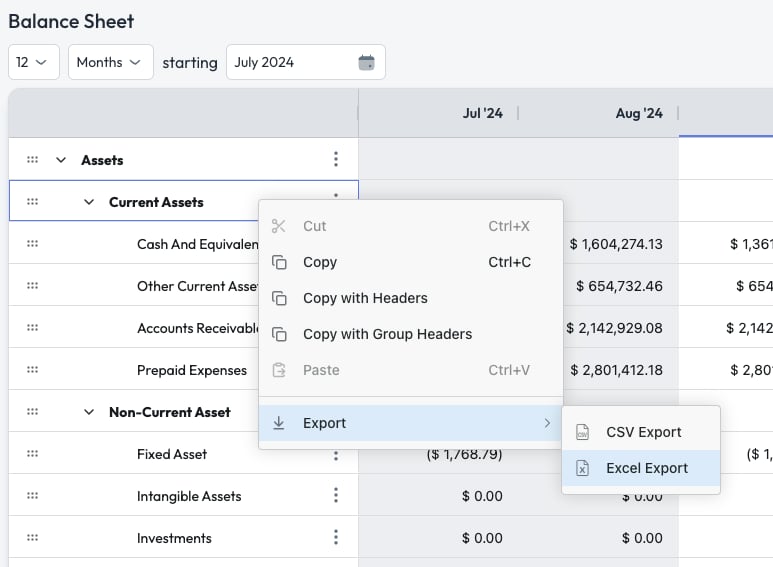
Pluvo lets you export to both .csv and .xlsx
  1. Navigate to the page you would like to export
  2. Configure the date and amount type settings to your desired output
  3. Right click anywhere in the grid and select Export
  4. Select either Excel Export or CSV Export
  5. Your file will begin downloading.
Note that using this method, formulas are not preserved. Only the values in the cells will be downloaded. For more information on building reports, visit the Reports article.