> ## Documentation Index
> Fetch the complete documentation index at: https://docs.pluvo.io/llms.txt
> Use this file to discover all available pages before exploring further.
# Multi-entity & Consolidations
> This article is under construction. Check back soon for more info! In the meantime if you have any questions please contact
This article is under construction. Check back soon for more info! In the meantime if you have any questions please contact [support@pluvo.io](mailto:support@pluvo.io)
Multi-entity is only available on **Pluvo Advanced** and **Pluvo Enterprise** Plans. Reach out to your account manager or [support@pluvo.io](mailto:support@pluvo.io) for more info.
If you haven't done so yet, [connect your first accounting integration](/modelling/features/integrations/accounting-integrations).
Once you've connected your accounting system, you may repeat the same steps to connect any additional entities you may have.
By default, your organization currency will be the company currency of the first accounting system you connect. You can change this later in your organization settings.
## Filter Accounts by Entity
Once you have multiple accounts connected, a dropdown will become available on account pages allowing you to filter which entities' accounts are visible in the grid.
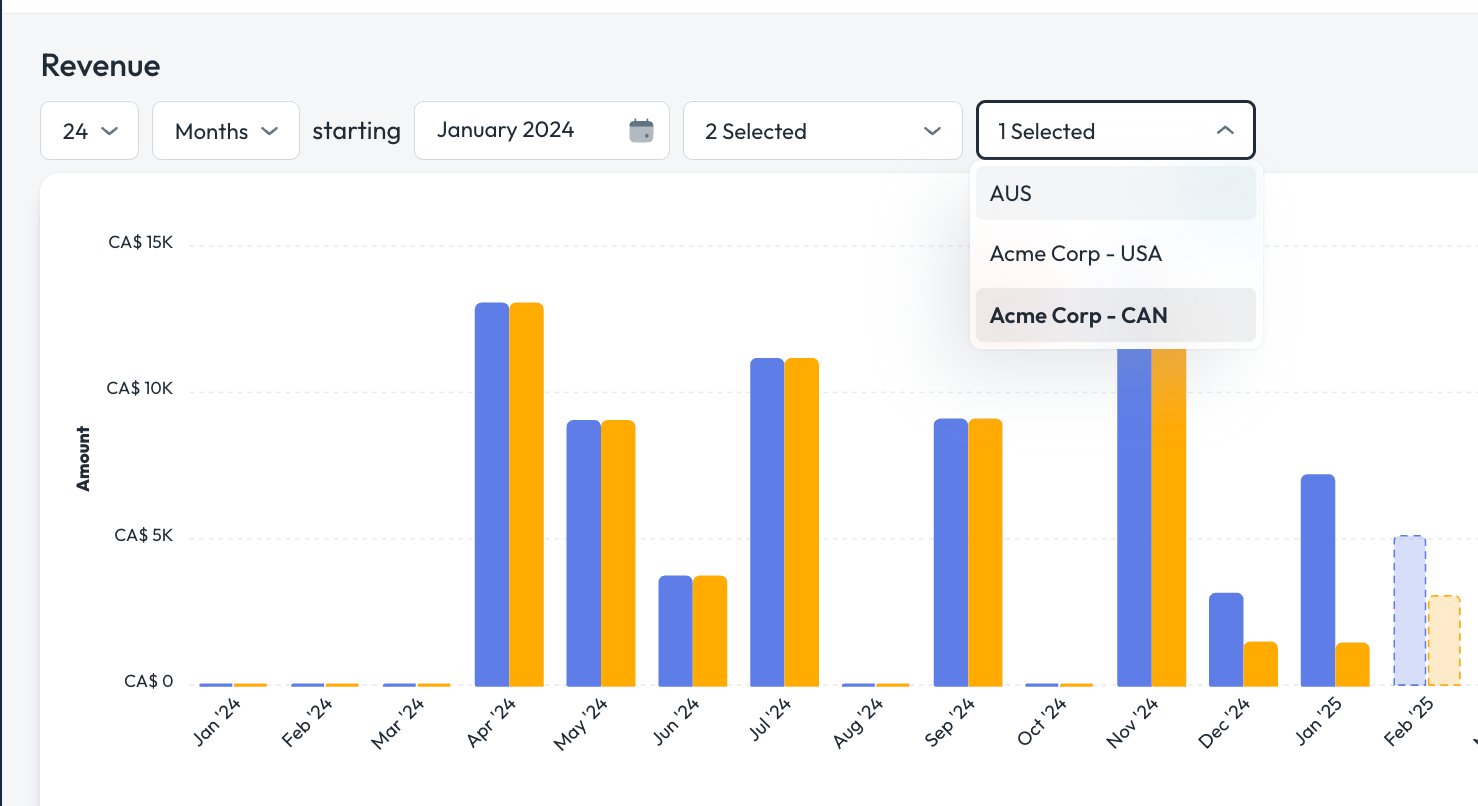 When multiple entities are visible at once, the auto-generated bar charts are hidden from teh account view. This is to reduce confusion when displaying accounts in currencies on a single chart.
Use [Dashboards & Charts](/modelling/features/dashboards-and-charts) to combine accounts in different currencies on charts.
## Report on Multiple Entities
When you add an additional accounting integration, Pluvo will auto-generate another set of financial statements. under the reporting tab.
To learn how to manage or edit these reports, visit [Reports](/modelling/archive-keep-hidden/archived-pages/reports) or [Report templates: The 3-Statement Model](/modelling/archive-keep-hidden/archived-pages/reports/report-templates-the-3-statement-model)
Accounts from different entities can be easily combined on reports or charts, and may be referenced in any formula in metrics, drivers, or forecasts.
When multiple entities are visible at once, the auto-generated bar charts are hidden from teh account view. This is to reduce confusion when displaying accounts in currencies on a single chart.
Use [Dashboards & Charts](/modelling/features/dashboards-and-charts) to combine accounts in different currencies on charts.
## Report on Multiple Entities
When you add an additional accounting integration, Pluvo will auto-generate another set of financial statements. under the reporting tab.
To learn how to manage or edit these reports, visit [Reports](/modelling/archive-keep-hidden/archived-pages/reports) or [Report templates: The 3-Statement Model](/modelling/archive-keep-hidden/archived-pages/reports/report-templates-the-3-statement-model)
Accounts from different entities can be easily combined on reports or charts, and may be referenced in any formula in metrics, drivers, or forecasts.